












Do you have questions about your IKEA appliances? Find answers to the most frequently asked questions about your dishwasher, extractor hood, gas or induction hob, fridge, freezer, microwave, oven, or washing machine. We also tell you how to solve minor unexpected issues, such as error codes or strange noises, so everything goes back to working exactly as it should.
Support for a specific appliance
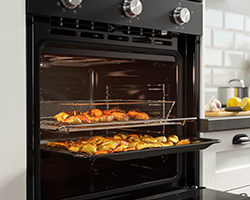
Ovens
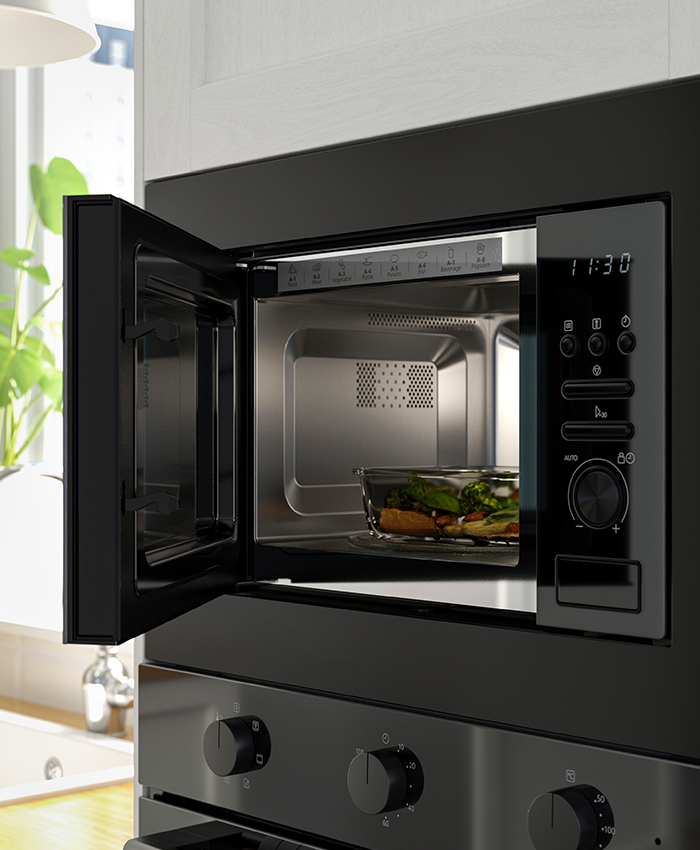
Microwave ovens
Fridges and freezers
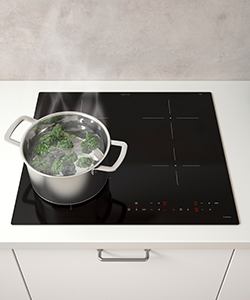
Hobs
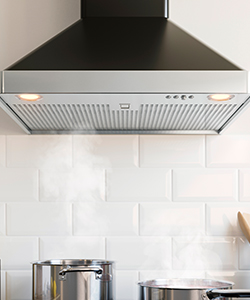
Extractor hoods
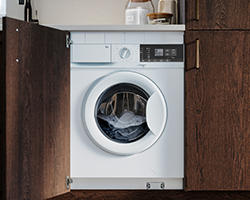
Washing machine and tumble dryer
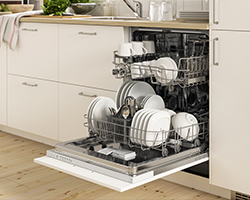
Dishwashers
Solutions for you
Warranties
Contact us

Returns Policy

FAQ about appliances
To find out what the error code displayed on your dishwasher means, please refer to the user manual. If an error code appears, try to resolve the issue yourself by following the recommended instructions. If the problem persists, please contact our partner beko .
Error code i10, 10, 11 or the letter H appears on the display.
If the water tap is open and the water inlet hose is not bent or twisted, your dishwasher display may show error code i10, 10, 11 or the letter H.
First, check that the water tap is open and that the water inlet hose is not bent or twisted. If your kitchen is equipped with an automatic shut-off switch for the dishwasher, check that it is working properly.
If the error code persists, please contact our partner beko for further assistance with your dishwasher.
Error code i20/20/H6 appears on the display.
If your dishwasher displays error code i20, 20 or H6, it means that it is unable to drain water.
Follow these steps to troubleshoot your dishwasher:
- Check that the sink trap and dishwasher filter are not clogged. Dirt and limescale can build up in these areas and prevent water from flowing properly.
- Also check that the drain hose is not bent or twisted.
If the error code persists after troubleshooting, please contact our partner beko for further assistance with your dishwasher. To help us assist you more quickly, please have your proof of purchase and your dishwasher's rating plate information ready.
Error code i30/30/F1/F01 appears on the display.
If your dishwasher displays error code i30, 30, F1 or F01, it means that the dishwasher's anti-flood protection system has been activated.
You may need an authorised technician to resolve the issue. Turn off the water supply to the dishwasher as soon as possible and contact our partner beko for further assistance.
To help us assist you more quickly, please have your proof of purchase and your dishwasher's rating plate information ready.
Error code i40/40 or i44/44 appears on the display.
If your dishwasher displays error code 40, i40, i44 or 44, it means that the filter is clogged with dirt.
Follow these steps to troubleshoot your dishwasher:
- Clean the dishwasher filter.
- Try restarting the programme. You may need to interrupt it by unplugging the dishwasher from the power supply for at least 60 seconds.
If the error code persists after troubleshooting, please contact our partner beko for further assistance. To help us assist you more quickly, please have your proof of purchase and your dishwasher's rating plate information ready.
Error code i50/50/i5E/5E appears on the display.
If a technical issue has occurred or a foreign object is stuck in the dishwasher's drain pump, the display may show error code i50, 50, i5E, 5E or SE..
An authorised technician may need to inspect your dishwasher to resolve the error. Turn off the water supply to the dishwasher and contact our partner beko for further assistance.
Error code E01 appears on the display.
When your dishwasher displays error code E01, it means that there is excess water in the base, for example, because the drain is clogged or the water hose is incorrectly positioned. If possible, try tilting the dishwasher backwards to remove the excess water.
If the error code persists, please contact our partner beko for assistance with your dishwasher. To help resolve the issue more quickly, please have your proof of purchase and your dishwasher's rating plate information ready.
Error code E02 appears on the display.
If your dishwasher displays error code E02 or E2, it means that it is not receiving water.
Follow these steps to troubleshoot the issue:
- Check that the water tap is open and that the inlet hose is not bent or twisted.
- If your kitchen is equipped with an automatic dishwasher shut-off system, check that it is working as specified.
If the error code persists after troubleshooting, please contact our partner beko, who will help you with your dishwasher. To help us assist you more quickly, please have your proof of purchase and your dishwasher's rating plate information ready.
Error code F3/F03 appears on the display.
If your dishwasher displays error code F03 or F3, it means that it is unable to drain water.
Follow these steps to troubleshoot your dishwasher:
- Check that the sink trap and dishwasher filter are not clogged. Dirt and limescale can build up in these areas and prevent water from flowing through.
- Also check that the drain hose is not bent or twisted.
If the error code persists after troubleshooting, please contact our partner beko, who will help you with your dishwasher. To help us assist you more quickly, please have your proof of purchase and your dishwasher's rating plate information ready.
Error code E2 or the message "NO WATER" appears on the display.
If your dishwasher displays the message "NO WATER", it means that something is preventing it from receiving water. To troubleshoot the issue, check that the water tap is open and that the inlet hose is not bent or twisted.
Follow these steps to troubleshoot your dishwasher:
- Check that the water tap is open.
- Make sure that the inlet hose is not bent or twisted.
- If your kitchen has an electronic dishwasher shut-off system, check that it is working properly as specified.
If the error code persists, please contact our partner beko, who will help you with your dishwasher.
Error code E:12 or E12 appears on the display.
When your dishwasher displays error code E12 or E:12, it means that a heating element has become coated with limescale. To resolve the error, you need to descale your dishwasher by following the descaling instructions.
If the error code persists, please contact our partner beko. To help us assist you more quickly, please have your proof of purchase and your dishwasher's rating plate information ready.
Error code E:15, E15 or E21 appears on the display.
If your dishwasher displays error code E15, E:15 or E21, it means that the anti-flood protection system has been activated. To prevent damage, turn off the water supply to the dishwasher and contact IKEA Customer Service.
A service technician may need to diagnose and resolve the issue. Turn off the water supply to the dishwasher and contact our partner beko for further assistance.
To help us assist you more quickly, please have your proof of purchase and your dishwasher's rating plate information ready.
The "Programme completed" indicator flashes once periodically.
If the "Programme completed" indicator flashes once periodically, it means that there is a problem with the water supply.
Follow these steps to troubleshoot your dishwasher:
- Check that the water tap is open.
- Check that the inlet hose is not twisted or bent.
If the problem persists, please contact our partner beko for further assistance. To help resolve the issue more quickly, please have your proof of purchase and your dishwasher's rating plate information ready.
The "Programme completed" indicator flashes twice periodically.
If the "Programme completed" indicator on your dishwasher flashes twice periodically, it means that the dishwasher is not draining water.
Follow these steps to troubleshoot your dishwasher:
- Check that the sink trap is not clogged.
- Check that the internal filter system is not clogged.
- Check that the drain hose is not bent or twisted.
f the problem persists, please contact our partner beko for further assistance. To help us assist you more quickly, please have your proof of purchase and your dishwasher's rating plate information ready.
If you need spare parts, replacement parts or additional parts for IKEA appliances, such as ovens, hobs, fridges, freezers, dishwashers, extractor hoods, washing machines, tumble dryers or microwave ovens, you can order them through the ASCI online shop.
To help you care for your IKEA appliances and extend their lifespan, you can order spare parts from ASCI. This is an online shop where you can order spare parts, replacement parts and additional parts for the entire range of IKEA appliances. Please note that ASCI only stocks spare parts for products purchased less than 10 years ago.
How can I order spare parts online?
Visit the ASCI online shop to browse the available spare parts and place your order. You can check the terms and conditions of purchase and delivery directly in the online shop.
What delivery options are available?
You can check the available delivery options and estimated delivery times in the ASCI online shop.
How can I track my spare parts order?
If you order spare parts through the ASCI online shop, you will receive an order confirmation and tracking information in accordance with their procedures.
Need more help?
If you have any problems with your spare parts order through ASCI, please contact them directly for assistance. You can find their contact details on their website.
What should I do if the spare parts I need are not available from ASCI?
If the spare part you want to order is not available from ASCI, you can submit a spare parts request using their form.
Please note that if you search for a part number on ASCI and click "Show spare parts", you may sometimes see a message saying that no spare parts are available for that product. However, if you click the product name so that it becomes underlined, the available spare parts will be displayed.
What should I do if spare parts are missing just after purchase or if my appliance is still under warranty?
If any parts are missing from your IKEA appliance just after purchase, or if you need a spare part covered by the warranty, contact our partner beko for assistance. To help us assist you more quickly, please have your order number ready and make sure you are near your IKEA appliance.
What are white goods?
The term "white goods" refers to certain large household appliances, such as:
- Cookers
- Ovens
- Hobs
- Extractor hoods
- Microwave ovens
- Dishwashers
- Fridges
- Freezers
- Washing machines
- Tumble dryers
All our appliances come with a rating plate containing product information, such as the serial number, service number, model number and other details.
Where to find the rating plate
The location of the rating plate varies depending on the product group. It is positioned so that you do not need to dismantle the product to find it. Hobs are an exception: for practical reasons, their rating plate is located underneath.
Some of the information on the rating plate is also printed on a white label on the product's chassis.
Understanding the rating plate
Article number
- Article numbers consist of 8 digits and usually appear on a black background with white numbers. They are written with full stops: 000.000.00.
Supplier number
- The supplier number consists of 5 digits and is written without full stops or spaces.
Service number, serial number or PNC number
- The service number, serial number or PNC number is usually found below the barcode on the rating plate. The number of digits may vary, but it generally contains between 10 and 12 digits and is written without spaces. The service number or serial number may be abbreviated as S/N or Serial No..
As rating plates may vary in their number combinations and wording, the easiest way to share the information with us is to take a photo of the rating plate and send it to IKEA Customer Service along with your enquiry.
Where to find the rating plate on different appliances
Dishwashers
The rating plate on our dishwashers is located on the edge of the door. If you have a Bosch dishwasher from 2018–2020, the numbers are engraved on the top edge of the door.
Extractor hoods
The rating plate on our extractor hoods is located behind the grease filters. You will need to remove the filters to access it.
Hobs
The rating plate on our hobs is located underneath. If you have an open cabinet below your hob, you may be able to see the rating plate from underneath on some models. Otherwise, you may need to lift the hob to access it. On our FÖRDELAKTIG hob, the rating plate is located on the fan unit inside the cabinet below the hob.
Fridges, freezers and fridge-freezers
The rating plate on our fridges and freezers is located inside the appliance. In fridges, you can find it to the right or left of the vegetable drawer. In freezers, it is located behind the bottom freezer drawer. If you have a fridge-freezer, the rating plate is located in the fridge compartment.
Microwave ovens and combination ovens
On microwave ovens and combination ovens, the rating plate is located on the edge of the door, along the oven opening or on the inside of the door.
Ovens
On our ovens, you can find the rating plate on the edge of the door or along the oven opening.
Cookers
On cookers, the rating plate is located on the edge of the door or along the oven opening.
Washing machines
On our washing machines, the rating plate is located inside the door.
All IKEA appliances have a label with a four-digit number indicating the year and week of manufacture. The label is located inside the appliance, except on hobs, where it can be found underneath.
Here's where to find the label on each appliance:
- Dishwasher: on the side of the door.
- Fridge: behind the vegetable drawer.
- Freezer: behind the bottom drawer.
- Fridge-freezer: behind the vegetable drawer in the fridge compartment.
- Oven: inside the oven, on the right-hand side.
- Microwave or combination microwave: inside the microwave, on the right-hand side.
- Hob: underneath, except for FÖRDELAKTIG, where the label is located on the fan unit.
- Extractor hood: inside the grease filter, on the left-hand side.
- Washing machine: inside the door.
All our fridge-freezers have one compressor that controls both cooling and freezing. IKEA has chosen to use a single compressor in all its models because a fridge-freezer with one compressor uses less energy and offers more storage space. That's good for both the environment and your wallet!
Worktops should be stored upright, at room temperature (at least +10°C) and in suitable humidity conditions to prevent them from warping. We recommend storing all other kitchen equipment and appliances in a dry place, protected from frost. Dishwashers should always be stored in a frost-free place.
To help you in the best possible way, we need some additional information about your faulty appliance. Below, you will find details of the documentation we require at IKEA to make the process of reporting a fault or submitting a claim as straightforward as possible.
First, please locate your receipt or another proof of purchase (for example, the delivery note).
In addition to your receipt, we also need:
- The article number (A)
- Supplier number (B)
- Service number/serial number or PNC number (C)
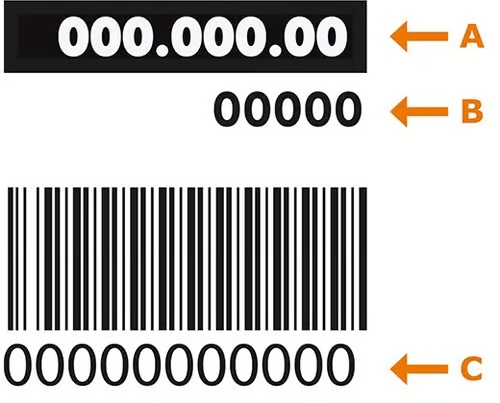
Take a photo or write down the information so that both you and our team will have the necessary information!
Contact our technical support team
Can't find the answer to your question on our website? We do our best to provide solutions to the most frequently asked questions, but if you still have any doubts, please contact our beko technical support service by calling 913 754 126 or click the button below.
Contact beko technical support*
To give you the best assistance, please have the item code handy before calling. You will find these 8 digits on your invoice or receipt and on the appliance's label.
*An external link will open.